Home › Solutions › Soil Sampling & Nutrient Analysis

Soil Sampling & Nutrient Analysis

One workflow. Zero duct tape.

QA Advisor’s soil sampling capabilities give you a smooth round trip from sample plan to prescription-ready data — planned, sampled, submitted, and returned, all in one place.

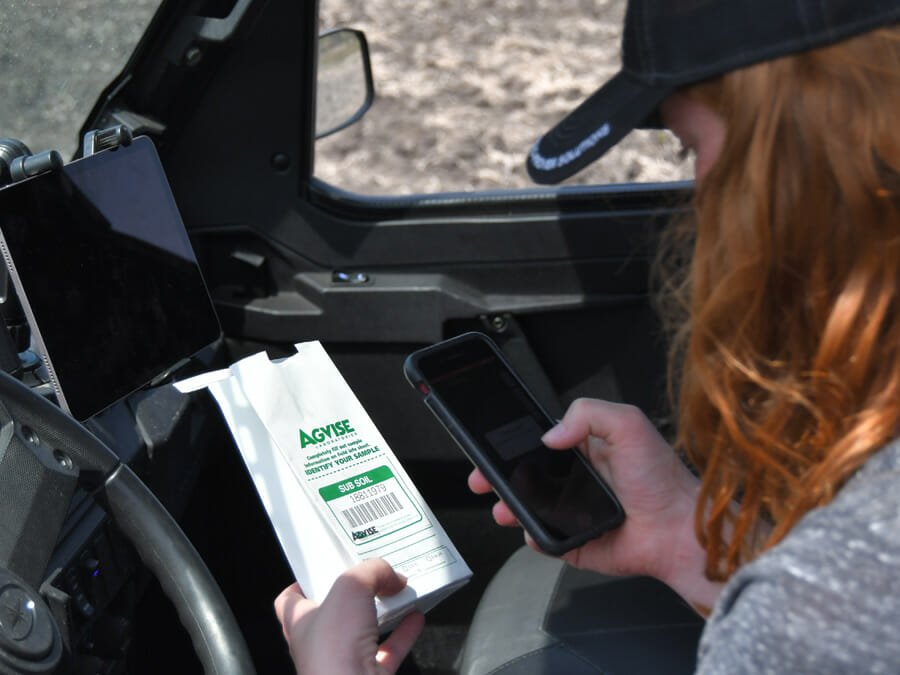
Sampling Bag
Soil sampling

From the field to the lab and back

Sampling season moves fast. QA Advisor keeps the entire workflow in one place, from planning your grid, zone, or composite sample collection, to submitting to the lab, to getting results back automatically matched to the right fields and sample points. No re-entry. No file chasing. No reconciling lab exports against last year’s points.

Built for agronomists managing dozens of growers across hundreds of fields.

The round trip from sample plan to prescription-ready data all happens in QA Advisor.

Grid, zone, and composite sampling tasks, built once and reused every season

Lab submissions generated directly from the task, barcodes, sample IDs, and field associations included

Results returned automatically from any integrated lab and matched to the correct sample points, no manual reconciliation

Soil results ready to build prescriptions as soon as they arrive

Live today with ServiTech, Rock River Labs, WayPoint Analytical, Ward Labs, AgVise Laboratories, Corvian, and Down to Earth Labs, with more labs onboarding. Don’t see your lab on the list? Let’s talk — we’ll work with them directly.

Plan, sample, track

Import zone, grid, or composite sample layers (KML/KMZ, GeoTIFF, or Shapefile). Locate fields by map or list, navigate to sampling points using your device’s GPS or an external receiver for higher accuracy, and drop pins as you go. A live, color-coded sampling map tracks team progress and routes efficiently. Works fully offline, so sampling doesn’t stop when cell service does.

Reliable, repeatable results

A barcode scanner links each physical sample to its exact field location, and lab results associate with that location automatically once imported. Return to exactly the same sample point every year for real trend comparison, not just a geo-tagged pin — and use that comparison to write better prescriptions, not just review results.
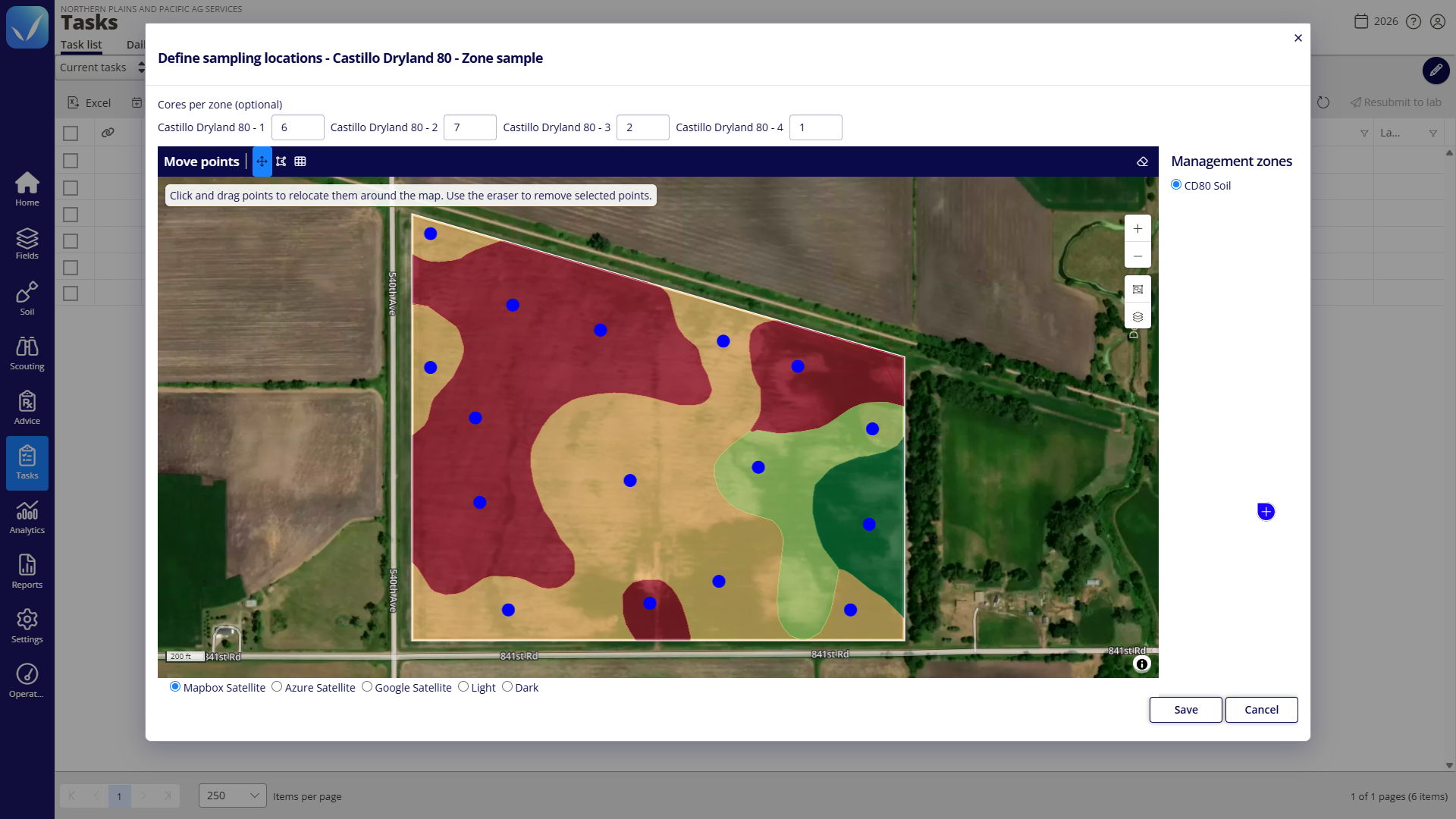
Set cores per zone and drag sample points into place before anyone heads to the field.

Grid, zone, or composite: your choice

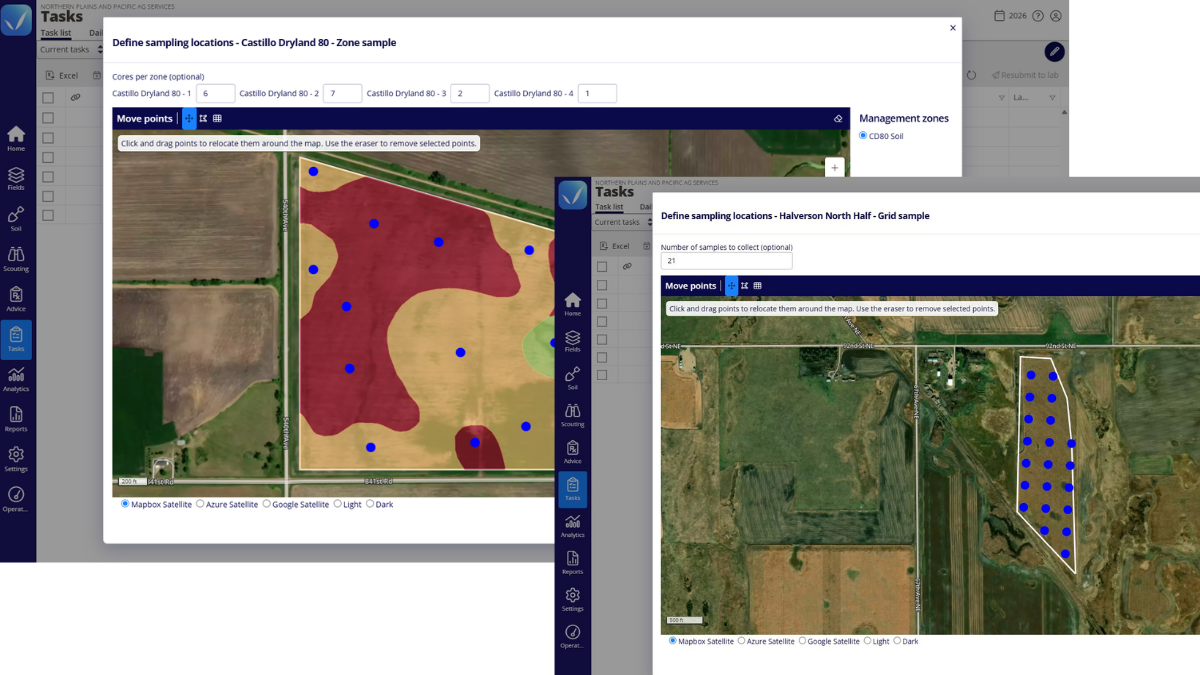
Every operation samples differently. Run grid sampling for consistent, evenly spaced points, zone sampling to target management zones defined from imagery or other spatial data, or composite sampling to pool multiple cores into one representative result. QA Advisor supports all three, so your sampling strategy doesn’t have to bend to fit the software.

Two soil sampling setups in the FarmQA web application. On the left, numbered sample markers sit in management zones on an NDVI map of a field. On the right, 57 sample points are spaced in an even grid across a center-pivot field.
Target management zones from imagery, or lay out an evenly spaced grid. You set the points either way.

Task assignment

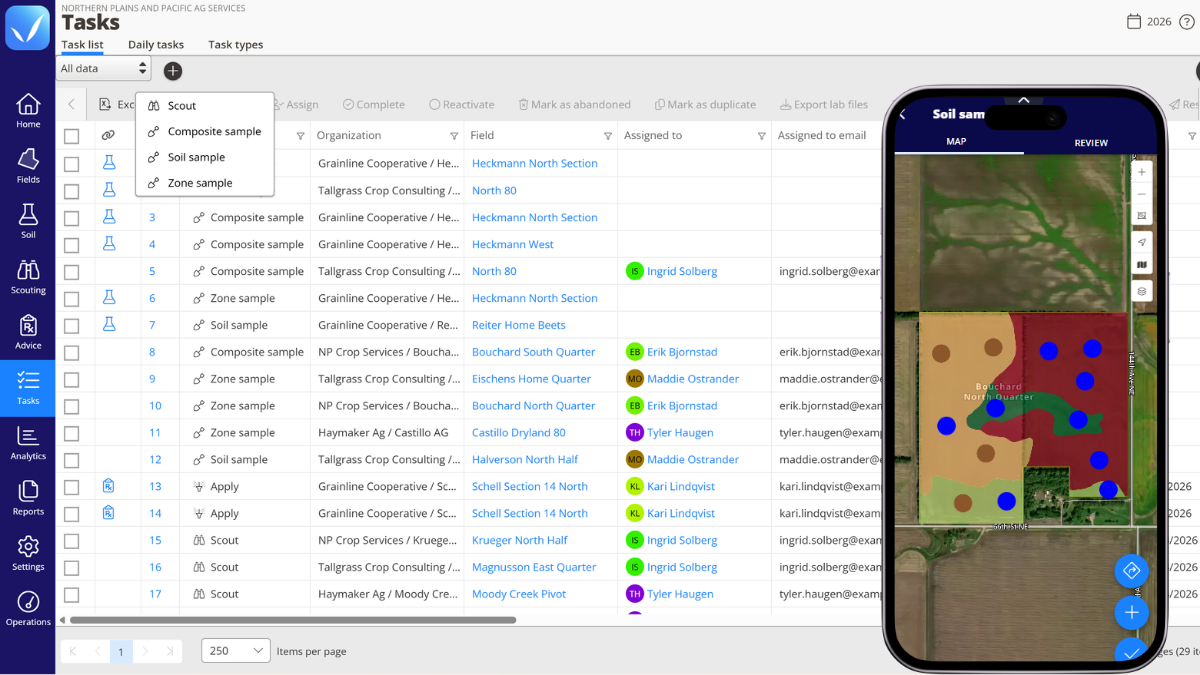
Assign sampling tasks to team members, see what’s done versus outstanding, and reassign to balance the workload. Color the map by task to see every field with open work and plan efficient routes. When sampling is done, the task sends the lab submission for you.

QA Advisor Tasks list on desktop, with a phone showing the mobile task list assigned to team members.
Assign tasks from the web or mobile app, and your team sees them on their phones in the field.
Nutrient & soil health analysis

From lab result to prescription in four steps

01
Results come in from the lab, via QA Advisor’s lab integration or manual CSV upload
02
Results are viewable as map layers overlaid on the field
03

Results feed into zones and fertility recommendations

04

Grids and zones convert to variable rate prescriptions

Nutrient capabilities

Soil Data Ingestion: imports raw lab CSV files containing macro- and micronutrients

Nutrient Blender: calculates flat-rate fertility needs instantly, taking a crop’s target yield and subtracting existing soil nutrients
Management Zones: converts field maps and lab data into visual zone-based prescriptions, exporting VRT-compatible shapefiles directly into tractor hardware
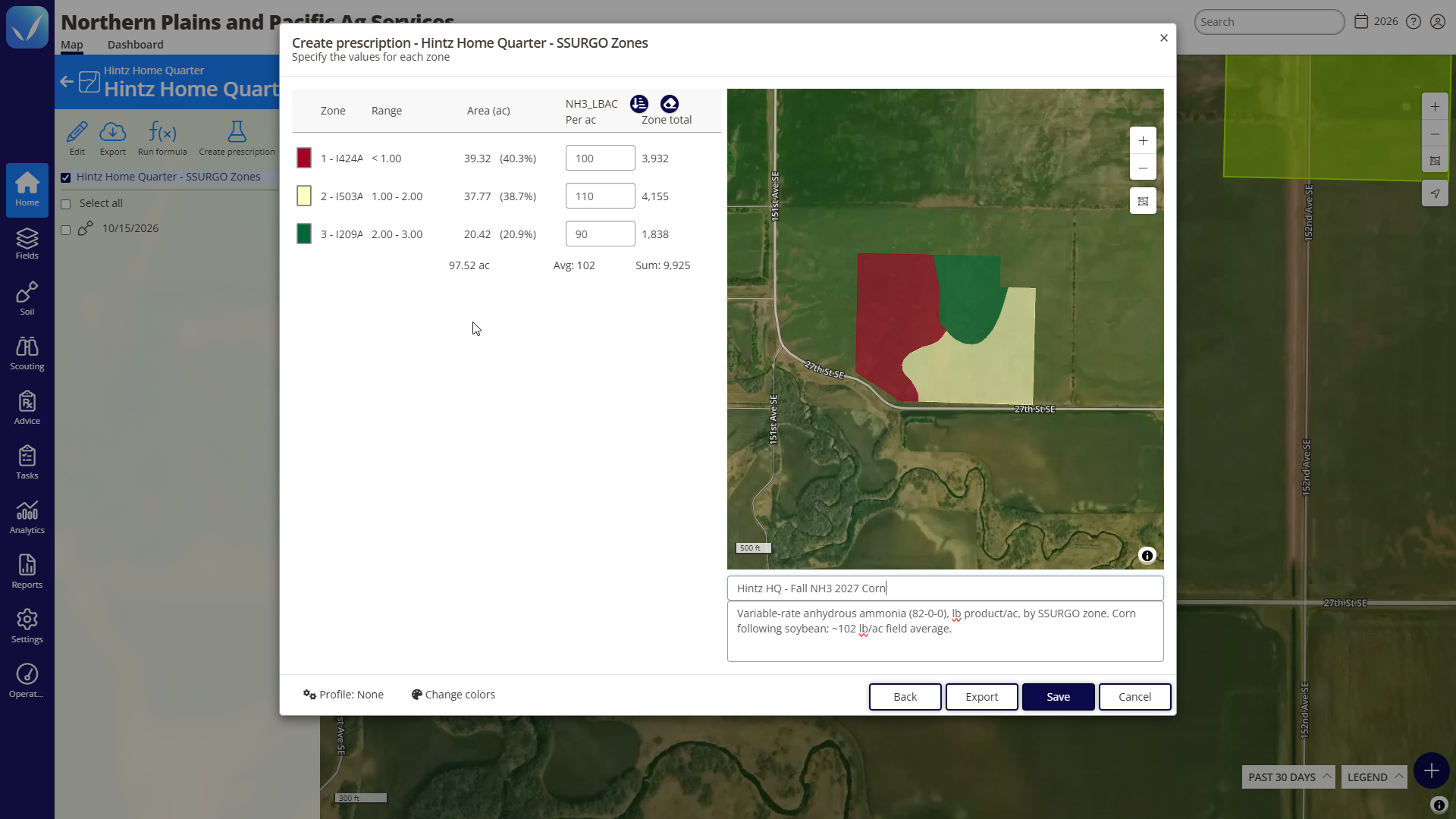
Create prescription window in the QA Advisor web app for Hintz Home Quarter, using SSURGO soil zones. It sets anhydrous ammonia rates of 100, 110 and 90 lbs per acre across three zones on 97.52 acres, for a 102 lb/ac average and 9,925 lb total, with the zone map and prescription notes beside it.
A nitrogen layer shows where levels vary across the field, which is the starting point for drawing management zones.

Map books

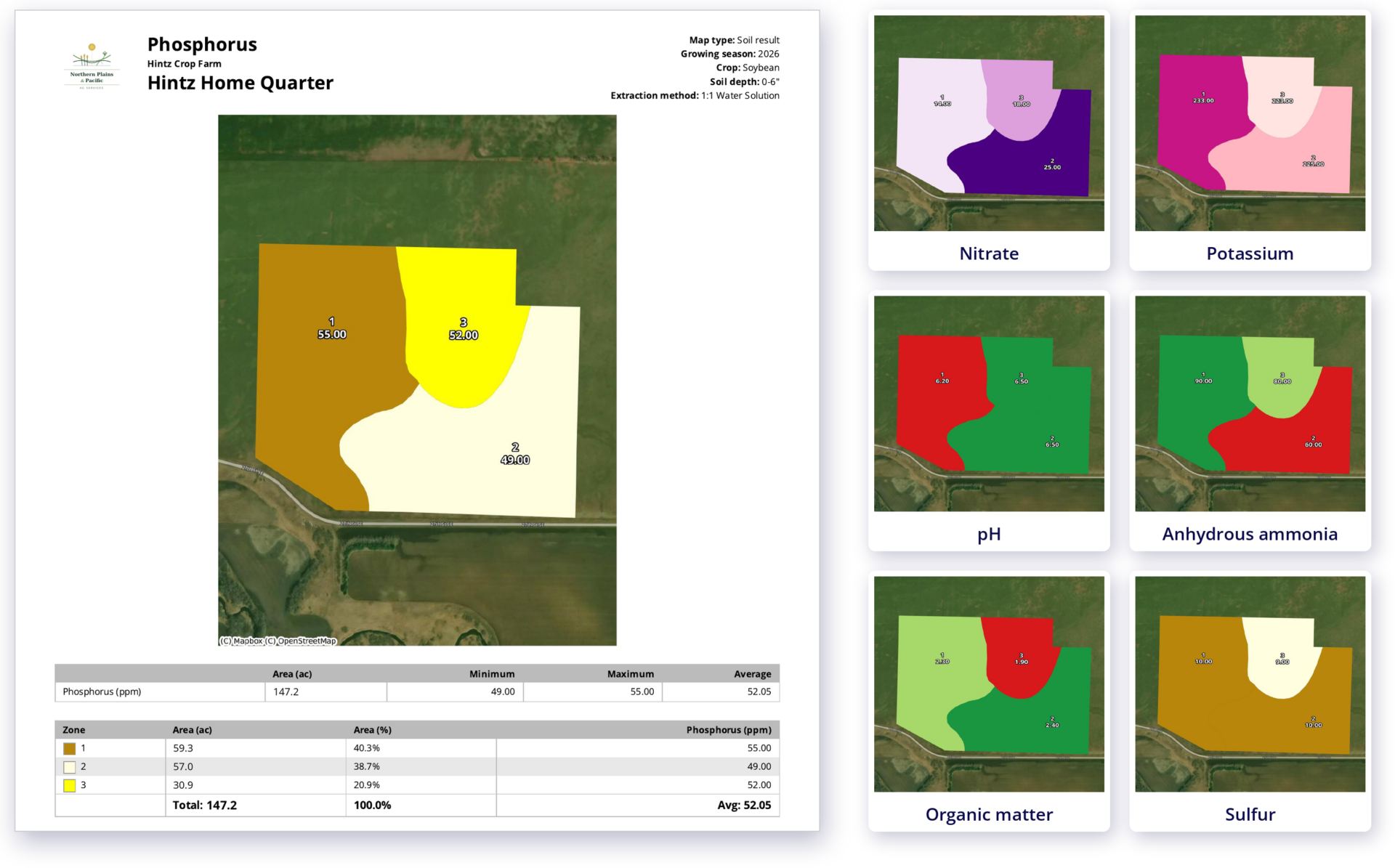
Turn your sampling data into a printed map book your team can carry into the field or the shop. Draw or import field boundaries, assign crop types, and layer in soil results, then build maps covering a single field or your entire operation. Map books work on their own, no prescriptions required, or bundle with Basic or Advanced Prescriptions.

A QA Advisor map book for Hintz Home Quarter, a 147.2-acre soybean field. A full page shows the phosphorus soil test map with three zones, ranging from 49 to 55 ppm, plus field details and acres per zone. Beside it, six cards show other map layers for the same field: nitrate, potassium, pH, an anhydrous ammonia application map, organic matter and sulfur.
Print soil results as zone maps with acreage tables, ready for the truck or the shop.

Zone-based prescriptions

Turn management zones into variable rate prescriptions for seeding, fertilizer, or pesticide applications. Assign rates by zone, use auto-fill for even distribution, review product totals before publishing, and export VRT-ready shapefiles for application equipment.
And you don’t have to start over next season. Reuse existing management zones and write new prescriptions against them year after year.
Create prescription window in the QA Advisor web app for Hintz Home Quarter, using SSURGO soil zones. It sets anhydrous ammonia rates of 100, 110 and 90 lbs per acre across three zones on 97.52 acres, for a 102 lb/ac average and 9,925 lb total, with the zone map and prescription notes beside it.

Hardware integration

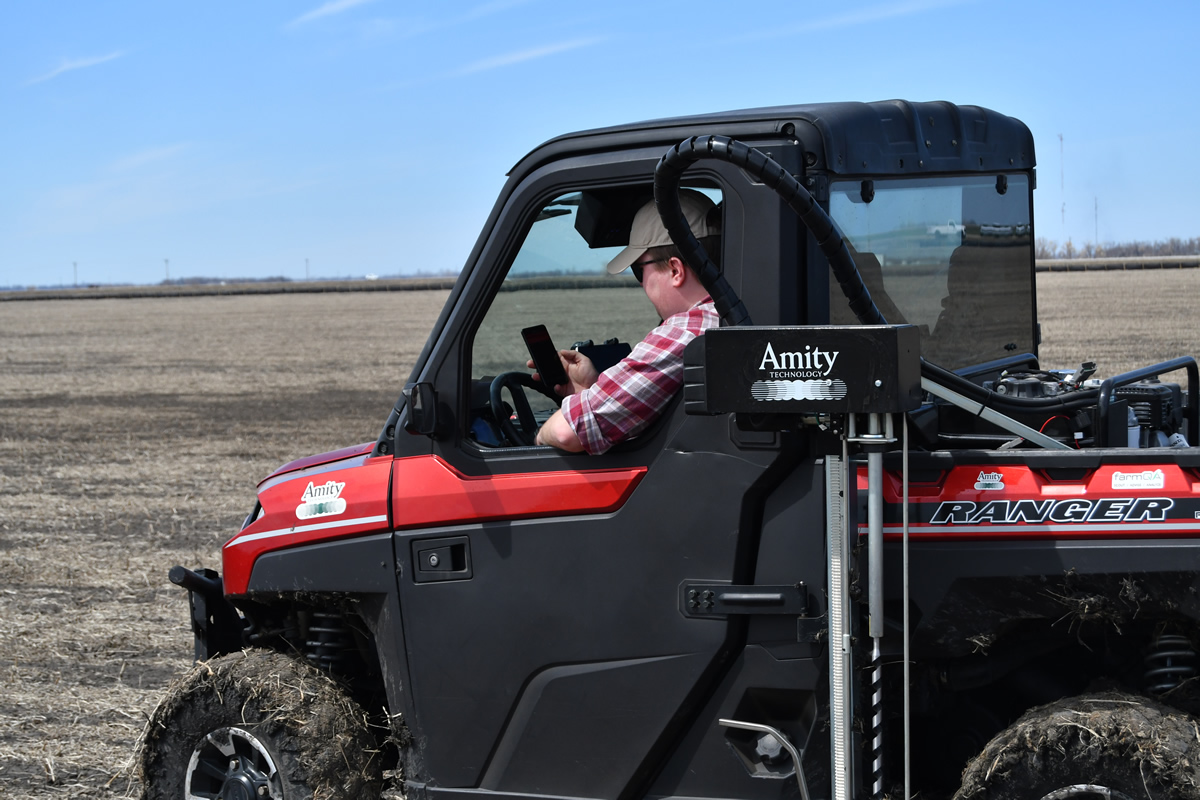
Works alongside your existing sampling equipment. Amity Technology, a FarmQA sister company, is one supported option for automated probes and augers.
Pricing

Pricing that fits your operation

Whether you’re an independent agronomist or managing a large team, we offer flexible pricing based on your users and the capabilities you need. Add more as your operation grows.

Support

Real people. Practical support.

Have a question? Our team is here to help you get the most out of your FarmQA products. Whether you’re getting started, learning a new feature, or working through an issue, you can reach us by phone or email, or find answers in our online Support Center.

Manage soil sampling from field to lab

Manage grid, composite, and zone sampling, lab submissions, and results in one connected workflow.

Ready to see which is right for you?